Bookmarks
Declare named saved viewpoints and navigate to them.
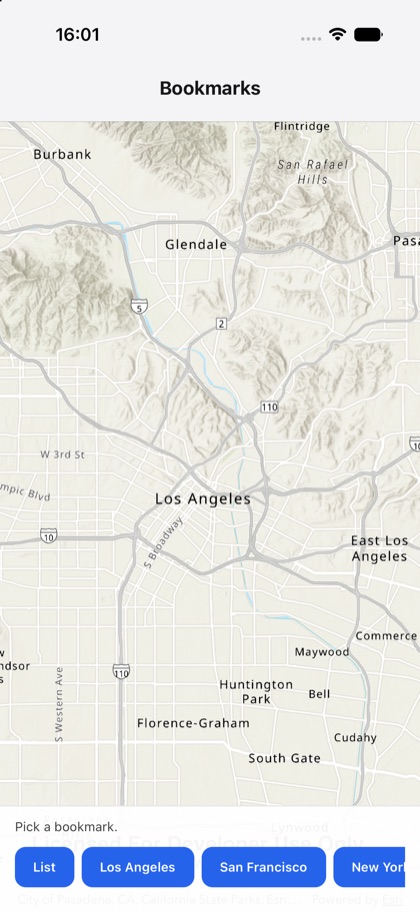
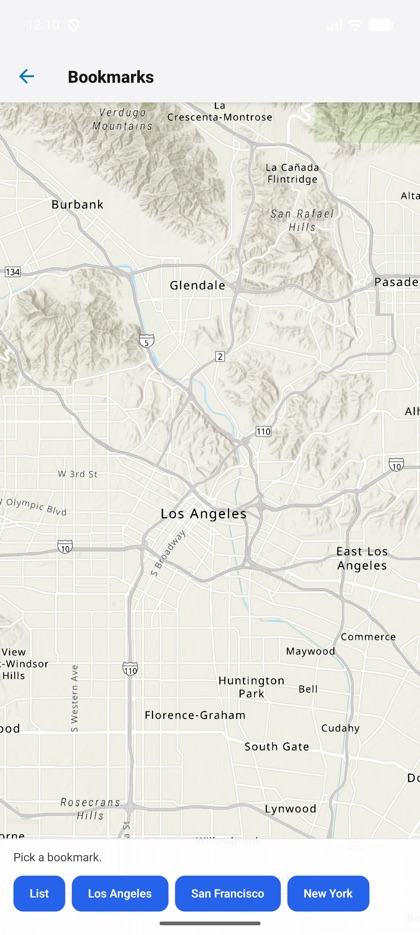
This is the real source of the example app’s bookmarks screen — run it on a device
or simulator to see it live.
import { Map, MapView, type MapViewHandle, type Viewpoint } from 'expo-arcgis';import { useRef, useState } from 'react';import { Button } from '../../components/ui/button';
import { SampleScreen } from '../../src/SampleScreen';
// Named saved viewpoints, declared on the map. The buttons read them back and navigate by name// through the native bookmark API (`getBookmarkNames` / `setBookmark`) — the same calls work against// a web map's own saved bookmarks.const BOOKMARKS: { name: string; viewpoint: Viewpoint }[] = [  { name: 'Los Angeles', viewpoint: { latitude: 34.05, longitude: -118.24, scale: 200_000 } },  { name: 'San Francisco', viewpoint: { latitude: 37.77, longitude: -122.42, scale: 200_000 } },  { name: 'New York', viewpoint: { latitude: 40.71, longitude: -74.0, scale: 200_000 } },];
/** Declares named bookmarks on the map, lists them, and navigates by name via the native handle. */export default function Bookmarks() {  const view = useRef<MapViewHandle>(null);  const [status, setStatus] = useState('Pick a bookmark.');
  const goTo = (name: string) => async () => {    const found = await view.current?.setBookmark(name);    setStatus(found ? name : `${name}: not found`);  };  const list = async () => {    const names = (await view.current?.getBookmarkNames()) ?? [];    setStatus(`Bookmarks: ${names.join(', ') || '—'}`);  };
  return (    <SampleScreen      status={status}      controls={        <>          <Button title="List" onPress={list} />          {BOOKMARKS.map((b) => (            <Button key={b.name} title={b.name} onPress={goTo(b.name)} />          ))}        </>      }    >      <Map basemap="arcGISTopographic" initialViewpoint={BOOKMARKS[0].viewpoint} bookmarks={BOOKMARKS}>        <MapView ref={view} style={{ flex: 1 }} />      </Map>    </SampleScreen>  );}