Contingent values
Valid coded values for a field constrained by another (bird-nests geodatabase).
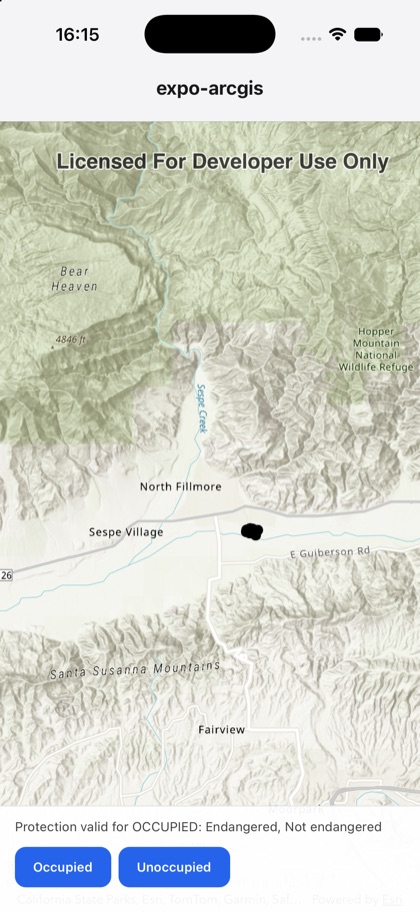
This is the real source of the example app’s contingent-values screen — run it on a device
or simulator to see it live.
import {  FeatureLayer,  Map,  MapView,  offline,  type FeatureLayerHandle,  type GeodatabaseHandle,} from 'expo-arcgis';import { Asset } from 'expo-asset';import { useEffect, useRef, useState } from 'react';import { Button } from '../../components/ui/button';
import { SampleScreen } from '../../src/SampleScreen';
// The Esri "Contingent Values Bird Nests" mobile geodatabase. Its `BirdNests` table defines a// contingent-values constraint: a nest's valid `Protection` depends on its `Status`.const GDB = require('../../assets/birdnests.geodatabase');
/** * Contingent values express that one field's allowed values depend on another's. Here a bird nest's * valid `Protection` codes are contingent on its `Status` — `contingentValues({Status}, 'Protection')` * returns only the codes permitted for that status. */export default function ContingentValues() {  const gdb = useRef<GeodatabaseHandle | null>(null);  const [layer, setLayer] = useState<FeatureLayerHandle | null>(null);  const [status, setStatus] = useState('Loading bird-nests geodatabase…');
  const showFor = async (handle: FeatureLayerHandle, nestStatus: string) => {    const options = await handle.contingentValues({ Status: nestStatus }, 'Protection');    setStatus(`Protection valid for ${nestStatus}: ${options.map((o) => o.name).join(', ') || '—'}`);  };
  useEffect(() => {    (async () => {      const asset = await Asset.fromModule(GDB).downloadAsync();      const path = (asset.localUri ?? asset.uri).replace('file://', '');      gdb.current = await offline.openGeodatabase(path);      const fl = gdb.current.getFeatureLayer('BirdNests');      setLayer(fl);      await showFor(fl, 'OCCUPIED');    })().catch((e) => setStatus(String(e)));  }, []);
  const tap = (nestStatus: string) => () => {    if (layer) showFor(layer, nestStatus).catch((e) => setStatus(String(e)));  };
  return (    <SampleScreen      status={status}      controls={        <>          <Button title="Occupied" onPress={tap('OCCUPIED')} />          <Button title="Unoccupied" onPress={tap('UNOCCUPIED')} />        </>      }    >      <Map basemap="arcGISTopographic" initialViewpoint={{ latitude: 34.4, longitude: -118.92, scale: 200_000 }}>        {layer && <FeatureLayer layer={layer} />}        <MapView style={{ flex: 1 }} />      </Map>    </SampleScreen>  );}