Callout
The SDK’s callout with React content: at a graphic, then where you tap.
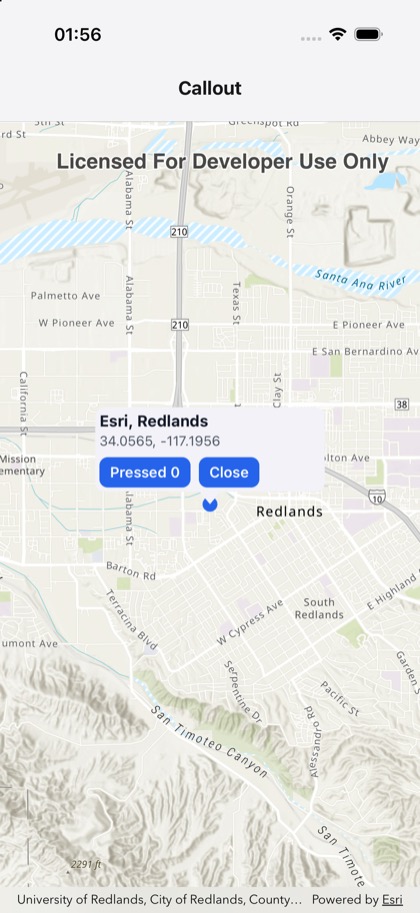
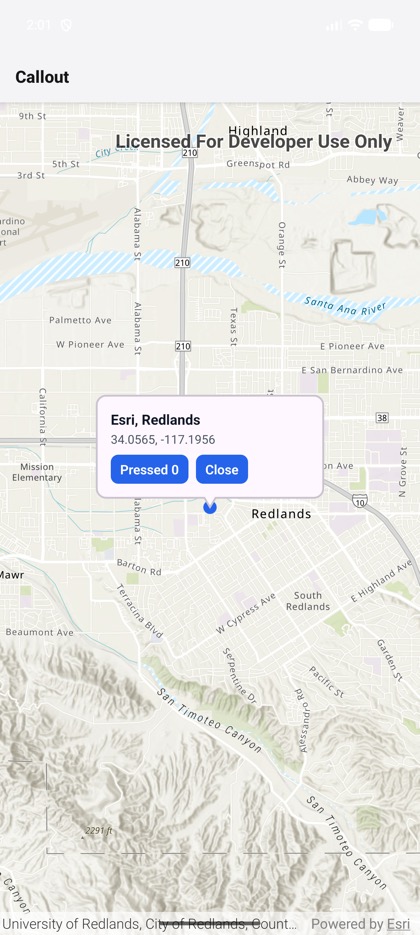
This is the real source of the example app’s basics/callout screen — run it on a device
or simulator to see it live.
import { useState } from 'react';import { Pressable, StyleSheet, Text, View } from 'react-native';import { Callout, Graphic, GraphicsOverlay, Map, MapView, type GraphicRef } from 'expo-arcgis';
type Location = { latitude: number; longitude: number };
const REDLANDS: Location = { latitude: 34.0565, longitude: -117.1956 };
/** * The SDK's callout with React content: tap the map, and a callout points at the spot with its * coordinates and a Close button. Before any tap, it points at a graphic (a `geoElement`). */export default function CalloutSample() {  // The graphic, once mounted: a callback ref, so that the callout re-renders with it.  const [marker, setMarker] = useState<GraphicRef | null>(null);  const [tapped, setTapped] = useState<Location | null>(null);  const [closed, setClosed] = useState(false);  const [presses, setPresses] = useState(0);
  return (    <Map basemap="arcGISTopographic" initialViewpoint={{ ...REDLANDS, scale: 72_000 }}>      <MapView        style={{ flex: 1 }}        onTap={({ nativeEvent }) => {          setTapped(nativeEvent.mapPoint);          setClosed(false);        }}      >        <GraphicsOverlay>          <Graphic            ref={setMarker}            geometry={{ type: 'point', x: REDLANDS.longitude, y: REDLANDS.latitude }}            symbol={{ type: 'simple-marker', style: 'circle', color: '#2563eb', size: 14 }}          />        </GraphicsOverlay>        {!closed && (          <Callout            location={tapped}            geoElement={tapped ? null : marker}            style={styles.callout}          >            <Text style={styles.title}>{tapped ? 'You tapped here' : 'Esri, Redlands'}</Text>            <Text style={styles.detail}>              {(tapped ?? REDLANDS).latitude.toFixed(4)}, {(tapped ?? REDLANDS).longitude.toFixed(4)}            </Text>            <View style={styles.row}>              <Pressable style={styles.button} onPress={() => setPresses((n) => n + 1)}>                <Text style={styles.buttonText}>Pressed {presses}</Text>              </Pressable>              <Pressable style={styles.button} onPress={() => setClosed(true)}>                <Text style={styles.buttonText}>Close</Text>              </Pressable>            </View>          </Callout>        )}      </MapView>    </Map>  );}
const styles = StyleSheet.create({  callout: { padding: 4, width: 220 },  title: { fontSize: 15, fontWeight: '700', color: '#111827' },  detail: { fontSize: 13, color: '#4b5563', marginTop: 2 },  row: { flexDirection: 'row', gap: 8, marginTop: 8 },  button: { paddingHorizontal: 10, paddingVertical: 6, borderRadius: 8, backgroundColor: '#2563eb' },  buttonText: { color: 'white', fontWeight: '600' },});