Floor filter
Browse a floor-aware campus map by site, building and floor.
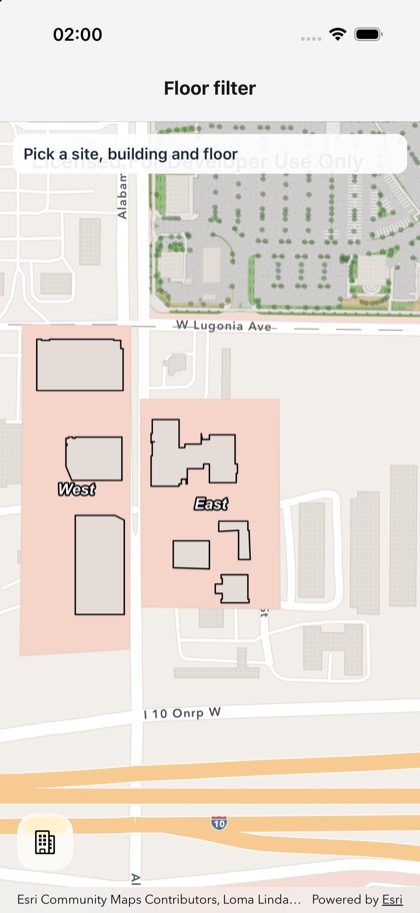
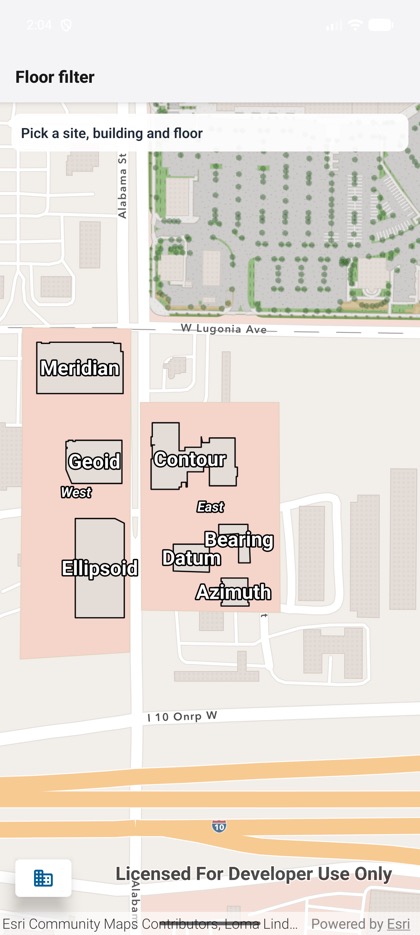
This is the real source of the example app’s toolkit/floor-filter screen — run it on a device
or simulator to see it live.
import { useState } from 'react';import { StyleSheet, Text, View } from 'react-native';import { Map, MapView } from 'expo-arcgis';import { FloorFilter, type FloorFilterSelection } from 'expo-arcgis-toolkit';
// Esri's floor-aware web map of its Redlands campus (public on ArcGIS Online).const FLOOR_AWARE_WEB_MAP = 'b4b599a43a474d33946cf0df526426f5';
/** * The ArcGIS Toolkit's floor filter over a floor-aware web map: browse the campus sites and * buildings, pick a building to zoom to it, then a floor to show only that floor's rooms. The banner * shows the selection the component reports. */export default function FloorFilterSample() {  const [selection, setSelection] = useState<FloorFilterSelection | null>(null);  const label = selection    ? [selection.site?.name, selection.facility?.name, selection.level?.longName]        .filter(Boolean)        .join(' › ')    : 'Pick a site, building and floor';  return (    <Map portalItem={{ itemId: FLOOR_AWARE_WEB_MAP }}>      <MapView style={{ flex: 1 }}>        <FloorFilter onSelectionChange={setSelection} />        <View style={styles.banner} pointerEvents="none">          <Text style={styles.text}>{label}</Text>        </View>      </MapView>    </Map>  );}
const styles = StyleSheet.create({  banner: {    position: 'absolute',    top: 12,    left: 12,    right: 12,    padding: 10,    borderRadius: 10,    backgroundColor: 'rgba(255, 255, 255, 0.92)',  },  text: { fontSize: 15, fontWeight: '600', color: '#1f2937' },});